
Overview
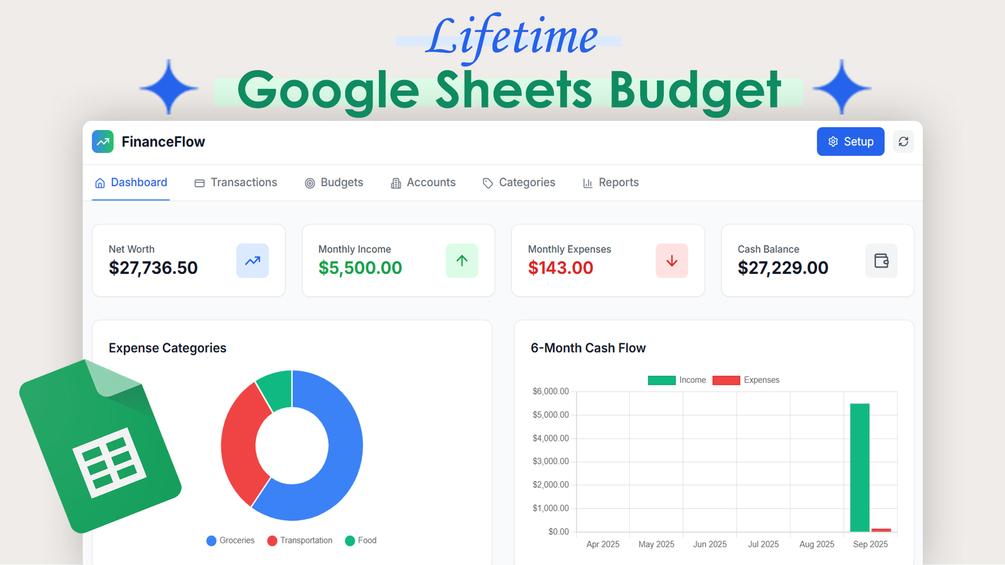
Turn a Google Sheet into a personal finance app with transactions, budgets and a financial overview.
Features
- Net worth, income, expenses and cash balance overview
- Expense categories and six-month cash flow charts
- Transaction entry and category budgets
- Multiple account records
- Customizable income and expense categories
Who it’s for
Individuals, families and freelancers who want a visual finance dashboard
Requirements
A Google account and access to Google Sheets. Google Apps Script setup, deployment and authorization. Review the supplied source and permission requests.
Limitations
Results depend on the records you enter. Check reports against your source data. Google Sheets and Apps Script quotas apply. This requires initial setup.
What’s included
- FinanceFlow Google Sheet copy link
- PDF Apps Script web app deployment instructions
Setup guide
- Copy the FinanceFlow Google Sheet into your Drive.
- Follow the PDF deployment instructions for Apps Script.
- Review authorization and test the app with sample records.
Related tools
Annual & Monthly Budget
Compare your monthly and annual budget with actual income, expenses, bills and savings.
Monthly Excel Budget
Plan monthly spending and compare actual transactions with your budget in an Excel dashboard.
Monthly Sheets Budget
Organize monthly income, expenses, bills, savings and debt payments in Google Sheets.