
Overview
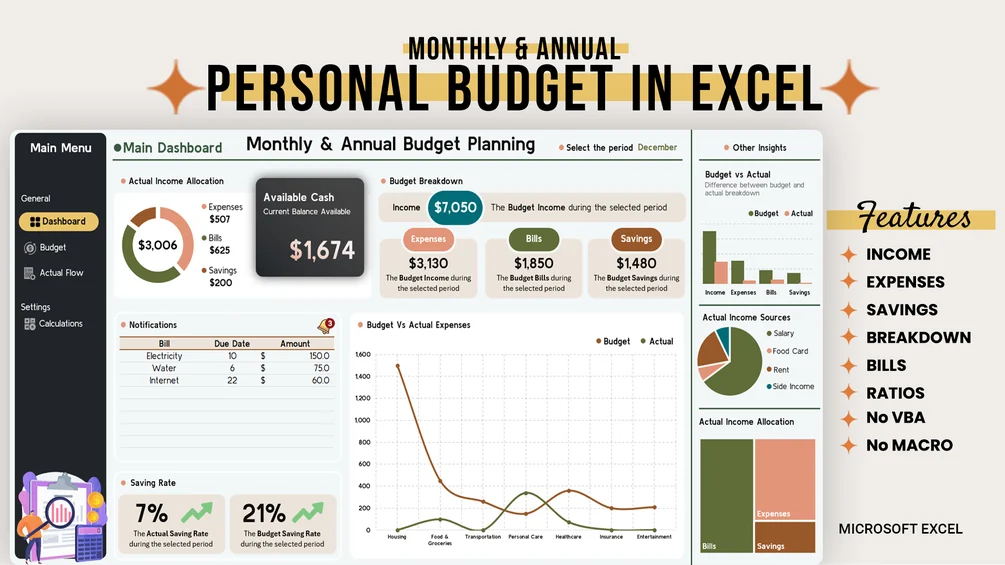
Compare your monthly and annual budget with actual income, expenses, bills and savings.
Features
- Month and full-year period selector
- Planned versus actual comparisons
- Income allocation overview
- Unpaid bill and due-date indicators
- Expense breakdown and visual summaries
Who it’s for
People planning personal and household finances across a full year
Requirements
Microsoft Excel. Google Sheets compatibility has not been verified for this edition.
Limitations
Results depend on the records you enter. Check reports against your source data. Spreadsheet formulas and summaries depend on manual data entry or imports.
See it in action
What’s included
- Budget spreadsheet with dashboard
Setup guide
- Open the budget workbook in Excel.
- Enter your plan in the Budget tab.
- Record transactions in Actual Flow and choose a reporting period.
Related tools
Monthly Excel Budget
Plan monthly spending and compare actual transactions with your budget in an Excel dashboard.
Monthly Sheets Budget
Organize monthly income, expenses, bills, savings and debt payments in Google Sheets.
Ultimate Budget Planner
Track cash flow, bills and savings with automatic summaries and financial ratios in Google Sheets.