
Overview
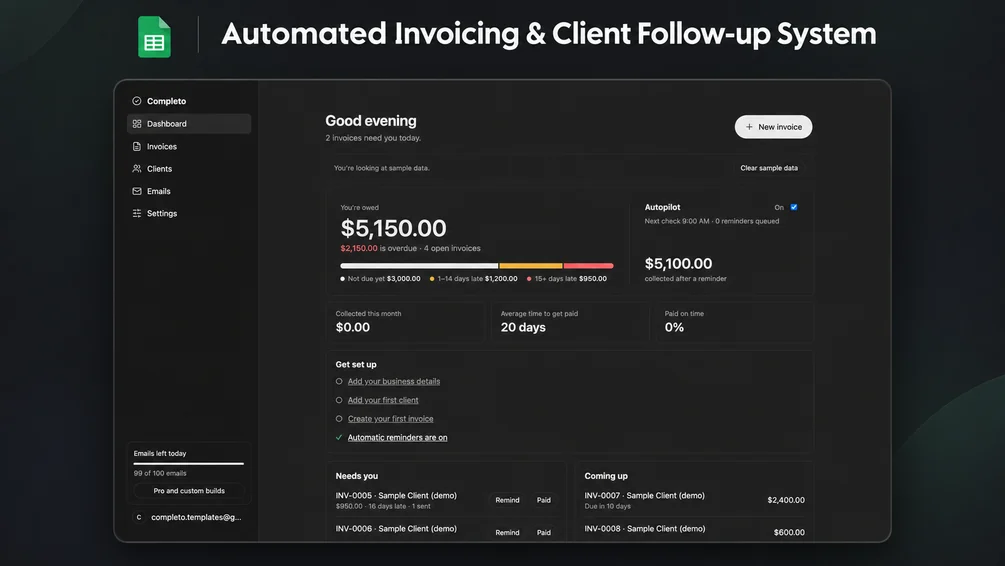
Create PDF invoices and follow up on overdue payments from your own Google Sheet and Gmail.
Features
- Invoice preview and PDF generation
- Receivables and overdue balances dashboard
- Configurable overdue email reminders
- Email previews, test sending and a send log
- Reminders stop when an invoice is marked paid
Who it’s for
Freelancers, consultants and small agencies
Requirements
A Google account and access to Google Sheets. Google Apps Script setup, deployment and authorization. Review the supplied source and permission requests. Permission to send email through Gmail and save PDFs in Google Drive.
Limitations
Results depend on the records you enter. Check reports against your source data. Google Sheets and Apps Script quotas apply. This requires initial setup. Google limits daily email sending. Check the allowance for your account before enabling reminders. Only the currently published free edition is offered here.
What’s included
- Apps Script and HTML source files
Setup guide
- Create a new Google Sheet and open Extensions → Apps Script.
- Add the two supplied source files and reload the sheet.
- Use the Completo menu and review the Google authorization request.
- Configure reminders and test an invoice and email to yourself.