
Case study / Published Completo product
From invoice creation to payment follow-up.
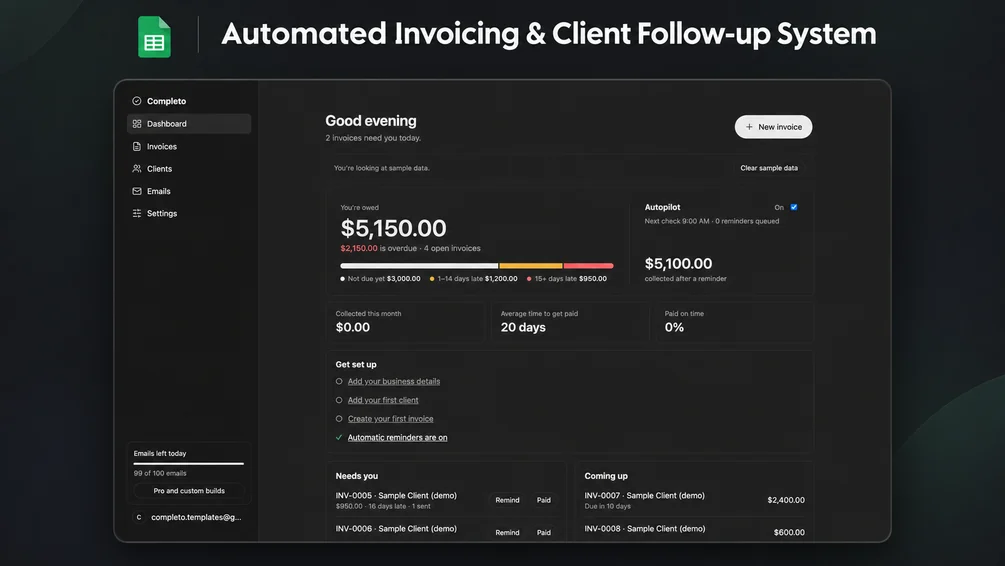
A Google Sheets and Gmail workflow that keeps invoices, PDFs and overdue reminders connected.
The business problem
Creating invoices and chasing payments across separate documents and email threads makes it difficult to keep an accurate view of outstanding balances.
Intended users
Freelancers, consultants and small agencies sending invoices to a manageable client list.
Requirements & constraints
- Keep invoice records accessible in Google Sheets.
- Generate PDFs in Google Drive and send from the user’s Gmail.
- Make reminders configurable and stop them when payment is recorded.
My contribution
Created and published the Completo automated invoicing and client follow-up tool, including the Apps Script and HTML source supplied with the product.
How the workflow functions
- Enter a client and invoice line items, then review the invoice preview.
- Generate a PDF and save it to Google Drive.
- Configure overdue reminders, preview or test an email, and review the send log.
- Mark an invoice paid so reminders stop and outstanding balances update.
Design choices
- Use Google Sheets as the record store so users can inspect and edit their own data.
- Send from the user’s Gmail so follow-up stays connected to the existing client relationship.
- Expose reminder controls and a send log so automation can be reviewed and paused.
Demonstrated functionality
The published tool demonstrates invoice generation, receivables reporting and configurable follow-up. No measured customer time savings or revenue outcomes are available.
Limitations & possible improvements
- Google account authorization and Apps Script setup are required.
- Daily email allowances and Apps Script quotas limit sending capacity.
- Payment status depends on users recording payment.
For a custom build, review approval steps, reminder rules and any accounting-system integration against the business’s actual requirements.