
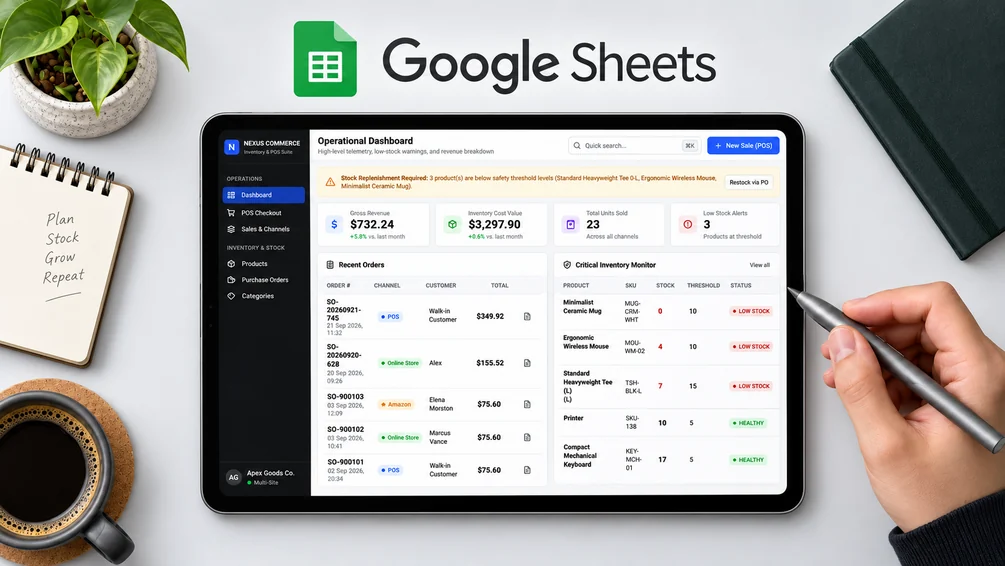
Overview
Manage products, stock, sales and supplier purchase orders in a Google Sheets-powered POS app.
Features
- Products, SKUs, prices and minimum stock levels
- POS records sales and updates stock
- Printable receipts
- Supplier purchase orders and stock receiving
- Revenue, inventory value and low-stock overview
Who it’s for
Small retailers, online sellers and businesses managing physical stock
Requirements
A Google account and access to Google Sheets. Google Apps Script setup, deployment and authorization. Review the supplied source and permission requests.
Limitations
Results depend on the records you enter. Check reports against your source data. Google Sheets and Apps Script quotas apply. This requires initial setup. Sales channels are recorded manually; marketplace accounts do not sync automatically. Payment gateway processing is not included.
See it in action
What’s included
- Backend and HTML source files
- Sample product data
Setup guide
- Download the files and create a new Google Sheet.
- Open Extensions → Apps Script and add the backend and HTML files.
- Review permissions and deploy as a web application.
- Test sample sales and purchase orders before entering real records.